레이블이 ppt인 게시물을 표시합니다. 모든 게시물 표시

2019년 4월 7일 일요일

Simple free ppt template in resume style

What kind of power point template do I make today? It's been my daily life.

I think a lot of college students in the graduating class will come, and I think there are neighbors who think about moving to a job with a career background.

Since the first half of the year is about to go ahead, I was wondering if we could create a template material that can be used as a letter or resume.

It's how I make it. I don't have anything special to explain, so I just designed it like this. To that extent, I'd like to write today's article.


First of all, the first slide of the PowerPoint template is a space where you can write down the contents of your resume.

Well, I'm working as a freelancer right now, but I think I've thought about what kind of design and approach are appealing based on my experience of working for the past seven years and I've been hiring.


Of course, depending on your job, it's

Usually, it's very personal. It reminds me of the experience of ppt. It's very neat and organized. It reminds me of the experience of being a lot.


When it comes to marketing, people who use PowerPoint templates that are full of planning skills and creative aspects and introduce themselves have a lot of attention, but I can recall that this design, like Jeongseok, has moved their minds, regardless of the nature of the company.

So I was thinking about what style to make, and I decided that I wanted to make it a concept that I could use anywhere.

I've created a few pages, as I've described in today's article.


I've actually thought about it and experienced it.

In general, many companies have mostly conservative tendencies on the base.

No matter how many new recruits, and the agents on top of them, are open minds and respect their individuality and pursue those things,

It's organized life that you can't help but match the tendencies of those who are higher up there.

I think it's too much or too much to take with me a power point that has my own personality.

But my theory, "It's creepy!" is something that no one can help but go beyond the middle.


If there are only three reasons why companies require portfolio or PowerPoint self-introduction in their recruitment process,

I personally think one is to evaluate the ability to write documents, and the creative, and finally the planning, the writing, the logical thinking.

Rather than being clearly divided by the haphazard, when it comes to powerpoint design, we take designs that are above average, that we all agree with.

I think it would be more stable and appealing if we scored on the rest of the document preparation, logical thinking, description, and planning skills.

Well~ There's no answer.


Especially for those who want to do marketing work like me, it's going to be difficult because they need to do all of this.


Design is unique and good, but I don't know what it's about, and if I don't understand it, it doesn't mean anything. ^^


Anyway, I think you'll understand why you've made today's data more yellow.

It's the same thing. It's very difficult.

Maintaining a large frame, but changing the label.

You can see the key information about this person right away even if you don't read everything.

Actually, I think that's important.

There will be a lot of documents to look at, and what's important is the overall image, the sensitivity, and the ability to communicate information.


There's no answer, right? But the way you look at people will be similar.

Anyways, we've created a PowerPoint template that can be used based on a cover letter or resume, but as you can see, it's a design that can be used for regular fitting.

If you need it, please refer to it and if you don't have enough time, you can come and pick it up.


If you want the ppt template I made, check the link below.


2019년 3월 31일 일요일

I don't really use black on the powerpoint background, but..

Personally, I don't use black color as the main color when making power point backgrounds, but there are a lot of people who ask questions and ask questions. I'm going to make some of them this week, including today.

The reason why I don't use the black background is because if I make it well, the page that is more cool and reliable than anything else is complete, but if I make it wrong, it becomes too dark and heavy. And I write down the details and it's a bit difficult to organize.


Rather than blacking out the background color of PowerPoint's slide, I wanted to use bright gray tones to make it look brighter and lower.

I just put a rectangle on it, but it's a lot of pressure. I can't breathe. It's like it's clogging up.


The color of the white, yellow, orange, etc. will make it brighter and offset this feeling, but I'm personally afraid of making it. L
Even though the same black language might not be visible, I did specify both because it would look different if I added gradation or patterns rather than monochrome.
PowerPoint can only color the shapes, so we put a pattern on it and put an object on top of it that was treated with a transparent gradient. 
Ah!! What I'm going to make today.
I'll say I like it too. I'll try to make a notebook that you liked a lot in the past.
I wanted to make it a little bit, a little bit different.


I took the spring shape that I had made before, but I thought I'd try again this time.
At that time, we just made it out of square shapes and gradients, but today we made it out of arcs.
If you just put one side in like this, it's kind of stuck inside, and it's done.
To make that shape appear, you can reduce the object's vertical height like an ellipse, not a complete circle.


You can put two or three of them in a single set, and you can put in a shadow to express the shape of a spring that looks like it's coming up.
It looks like a hole. You just have to do it thicker than the black color with the basic power point background.
I think you can also designate the shadow inside.


Anyway, I made a PowerPoint background template with black color.
Personally, I think I always have that idea.

"I don't know why I can't handle all the slide areas with all the blackness."
I'm sure some of you agree with me, so I think it's a background color that you didn't use very well.
I think the way to weaken that image or impression is to add a design source or structure that distributes our eyes a little bit more like today.


If you didn't put the spring shape in the middle of it as a design source, and you didn't process the black background on one side, and you divided the layout into two, which is a burden to the black background. I think it's a factor that can weaken that part.
I'll make another PowerPoint template as early as tomorrow or this week.


그리고 요즘 저희 allaboutppt에 와보신 이웃 분들중에서 보신 분이 계신지 모르겠는데, 파워포인트 자료 외에도 좀 도움이 될 수 있는 자료들을 남겨놓으려고 하고 있습니다. 특히 그 동안 폰트에 대한 질문도 많이 주셨던지라 일단 1차적으로 무료 폰트에 대한 정보를 정리하려고 하거든요.
이번주까지는 한번 끝내보려고 노력중에 있구요.


아무튼 학생들, 그리고 직장인분들께 도움되는 다양한, 많은 정보들을 꾸준히 담아놓을 수 있도록, 담고 있는 그런 공간으로 성장할 수 있도록 노력하겠습니다.


2019년 3월 27일 수요일

Focus on color to design PowerPoint themes

If there's one thing I often tell you when I'm talking about PowerPoint template design,

In your everyday life, you're especially interested in the colors of the images you see on the web. It helps you improve your design completeness and quality.

The reason I'm telling you this is

In fact, the way we organize our content in detail while making ppts, the layout, the diagram, etc.

Because that's where I think there's a certain limit to having a clean, pretty design and diversity.


When you see a real school or company party, the way I make it and the way it's made by others, it's pretty much the same.

It's similar in content, so it doesn't go beyond a certain range.

Even if you look for a different way of expression, you can't afford to spend your time and effort thinking about it.


So I think I can finally compress the candidate for the best alternative, the best way to do it.


One is a photo and one is a main color choice.


And that pretty, neat color will be able to come up with a cell phone right now, sit in front of the computer, and look at the site where you can introduce your favorite clothes, products, and services.


Naver's main color and gradation color will be an example.


The PowerPoint theme that I created today is a version of Xi'an's color on the web.

Everyone can get that kind of feeling, right?

It's pretty~ It's neat~

I think the power point design completeness and the overall atmosphere will be further enhanced just by using the color that corresponds to the common sensibility, reference and apply in common.


The details and composition of today's templates are also common forms.

But I think we can expect and get different effects because of the image that colors bring.

If you just put a graph and wrote and put an icon on a white slide background, you wouldn't get the impression that it's so special.

But by referring to the colors you choose on the Internet and applying those colors to templates, we can make a theme simple for you to deliver different images.


Well, these days, there's a lot of capture programs and you can get RGB color information from the PG, so you won't have a problem.

If you take the finishing point from Al, you get color information at the bottom.

First of all, PowerPoint 2013 version has a spoiler like Photoshop, so you bring the captured photos to the slide, and you extract the color right away.

It can be applied to all objects, such as shapes, backgrounds, lines, and so on, so I can easily capture pretty colors in my pipette.


Still~ I just followed the basics. It's a bit sad to finish today's data. I'm not guilty of doing nothing. I've made a new one.

First, we filled the background with pictures, put a square on it, and put another shape on it as a freestyle shape.

If you take these two out, they'll change the top shape to a zigzag shape, like a graph.


If you use the main color, gradation, and transparency for background processing, you will be able to complete a page of PowerPoint templates that may look a little special.

What's important here is to keep the key colors uniform.


If the content doesn't mix with the overall atmosphere or the readability is going to be significantly impaired, I think it'll be a simple solution if you create an additional white area like this.


I don't want to look like a square!

If you think you didn't do anything. If you don't like it because you don't have a design element, just change the shape.

Or place the same white shape of the rounded label shape on the bottom of the white rectangle.

It's different how you feel. ^^


The easiest concept of design is, I think, just personal.

Add or subtract, increase or decrease it.


A simple example would be the size of your handwriting, and it would be nice to see, read, and not necessarily big. ^^


Anyways, I think I got a similar color today while looking at the sky full of fine dust.

The color was so noticeable that I made a simple PowerPoint template using it as my main color.

I'll share it in less than 10 minutes.


2019년 3월 26일 화요일

Create and share a very simple PowerPoint template

Maybe the office workers rarely work because of the end-of-the-way ceremony, or a day when they can't get their hands on the job.

It was actually like the last day of the year, and I wasn't paying much attention either.

So today, I'm spending a very simple time creating a free ppt template form, and I'm writing like this

Don't be surprised because it's simple and simple to write.


What do you call a general purpose, such as a table of contents, a graph, or a diagram? It's going to be a ppt template that can be used evenly, but the key shape I've used is a square with two corners that I've been using a lot lately.

The advantage of this is that you can divide the surface of the wound and leave it round on one side and just leave it on the other.

And it was perfect for what we wanted to make today, in shape.

I think it'll be okay to use this shape as a label.

Anyway, let's talk about it out


I wanted to put two shapes of the same shape together and express them in a concave way.

There are many ways to make that happen, but first of all, we expressed depth with gradation.

Color is what you want, but for each Gradient point, you can make a difference between light and shade based on the basic color and make it look like this.


If you cross the two objects that you've created in the same way, you create a ppt template that looks like this.

Isn't the color too colorful? ^^

I've done it with a stronger color.


And the second way is to add a shape and use it as an object that gives light and light, and the basic shape that we created earlier is to treat it as monochrome and put it on top.

I'm going to introduce you to this method.

There were a lot of people who said they couldn't handle the gradation well.

In the case of this method, the basics are Gradient, but it's easier to adjust with the same color and the value of transparency.


So, step by step, if you gradually increase or decrease the value of transparency, and you put it on the shape that's based on monochrome.


And the pre-scapture phase, and the original version that I'm putting up for free sharing, it's only on top of those shapes.

And in the first poem, I think I've used too strong a color. To tone down, I've done a raw image of the object at the top to make it easier for my eyes.

I like this more.

Let's wrap up today's introduction.


2019년 3월 25일 월요일

Create fingers and tablets in ppt shapes to design PowerPoint themes

These days, I think I use a lot of power point materials.

It's probably true now, but it's like there are a lot of cyanide coming out of the advertising contest that we used to participate in a lot in college.

But today, I wanted to make a shape that I couldn't find as an icon if there was a difference.

No matter how much data we provide from a variety of subjects, such as flat icons, we're looking for something to use as a main theme, not just as a small source, but sometimes we don't.


If you're frustrated, if you want to, you have to make it yourself. What?

I always start creating PowerPoint themes by looking at colors and expressions, showing the shape of a finger that I want to make in front of my eyes, and then putting some of the same basic shapes.

Most of them are circular, round-edge objects.


If you need more curves or if you don't have anything like them, you're going to use


A few days ago, a blog follower wrote a PowerPoint only for Illustr, but he left a comment saying that he was surprised to see you making it like this way.

Sometimes I mention it in my article, and I'm not really good at the illustration, but the basic concept itself, and the function is that sometimes it's more comfortable to draw in the shape you want in the illustration.

Of course, there are limits, but I don't think there's a shortage in trying to make the template work.


So, I don't know what the name is, but I've made both the thick parts of my thumb, the wrist and the fingernails, using point editing and free drawing.

If you look at the icons, they're more realistic these days through

So I got a good color. I picked the color as a spoiler and applied it.

But the index finger is a bit awkward.

I think you can just treat it the same as the color of the thumb, or subtract it a little or darken it. L


Anyways, I made a finger shape for the PowerPoint theme. Make one right or left, and then you can mirror the rest to the left and it'll be simple, right?

He doesn't know if he's writing about illustration or how to draw with papo. Well~ I'm personally acknowledging that. ^^

But it's a reincarnation. I like it so much. I usually make it like this.

I think it would be better if you could get a unique and distinctive template instead of the same template every time.


Okay~ It's done~ I just made my own tablet.

There are a lot of open sauce, so you can just take it and use it.

I'm tired of making hand shapes, so I just put in some old stuff. ^^


I'm gonna make it into a one-pun shape and... But since the size has changed, I think I can use the extra space.

If it's not necessary, you may want to keep your left hand and hand in shape while maintaining a clean power point background.

I thought I could find an icon of the shape I wanted and make it easier, but I couldn't find it.

Considering that the time it took to find it was more invested than the time we made it ourselves, we'll have to make something unusual and something that we don't think will exist.


You can use it as a PowerPoint template by changing the finger spacing, location, and shape and size of the device.

Of course it can be used as a cover.

I've increased it. I've narrowed it down. I've changed the location. But as a theme, I think I can organize my content while keeping my core design intact.


2019년 3월 20일 수요일

PowerPoint Design Chocolate Pie Shape

Sometimes I think that I'm making something weird, and when I think about it, I think I'm making something that's totally different from someone who's good at designing PowerPoint. ^^

He makes things so unusual that he doesn't know if he's dealing with papo or just drawing like an illustration.

I think you'll agree.


This is probably because when I create the PowerPoint theme, I find it around me, in my everyday life, and I choose it, and I actually make it.

Basically, it's a key factor that makes a difference between the things that we've seen a lot, the way we make things, and we think about it, and we're making things that are future-oriented and business-type. Regularization. How about a rule?

I'm used to it, and I would define it as a good power point.

But if you think about it, it's not fun to make and it's not fun to watch. ^^


It's not interesting, it's not interesting, it's probably a very dangerous part of PowerPoint's purpose.

If you think about it closely, the ppt you made is boring, but it's interesting to see the final presentation that students put up when they were working on a team project.


Personally, I like neat things and pursue them, but as a departure from time to time, I also like to make strange designs and fun themes like today.

The introduction was very long.

What did I make today? Ha ha.


My personal favorite is Montpellantong! I recently found out that his name is just Montpellant now. She changed it a long time ago because she said she would get fat if she ate it.

Anyways, it's so good. When I go to the mart, I buy a box of them. I eat a couple of them every time I'm hungry. Should I try this during the day? I was in a hurry to think that...


You're looking at everything. You're thinking about making PowerPoint while you're eating, right?


I think I'll have to look at the shape. So I took some pictures like this and made shapes with all the functions that I often use.

It was easy to make everything else. Should I call it adhesive? Should I call it the wing part? Anyways, it was hard to make and express that part, so I just gave it up.

If you look at the bottom, Ah~ You got rid of that. I think you can see it right away.


And I thought, "Let's design the PowerPoint." And I thought, "Let's design it." And I thought, well, I think I could use it as a graph, but it's not as expressive as I've ever imagined it before, so I ended up doing it like a diagram, like a regular form.

Oh~ I want to eat it again. ^^


If I start making one with PowerPoint, I'll take the basic form and make changes like this. But if you've seen a few of my writings, you know that.

And JOHN~ Like the picture on the top, I thought the side view was very attractive and funny. So I thought I'd try to express it again and use it as a cover.


In fact, it was actually a powerpoint design of this Montpellant theme, and we needed to find a way to make a difference or express it. But I think it's better to use only the open source I made instead of actively recommending that I go through a process that is too annoying.

So you'd better write it on the cover, on a table of contents or on a simple diagram. That's what I told you.

If you're going to use a circular graph, you'll need a problem like this, a troublesome process.

It's fun and charming to see a cross section of this design, but it should be comfortable if you treat it as a cover for a part with a different shape, but it also loses its appeal.


Anyway, I've made it like this way.


I tried it as a design theme with simple PowerPoint coverings, making it look like a big bite. ^^

But it looks like a chocolate pie and it looks like a mackerel.


Anyways, instead of making the same thing and the same mold, you can pretend to be crazy and make it fun.

The sauce could be right in front of my eyes.

If you're eating ramen, it's that, if you're drinking a can of beer. Give it a try.


2019년 3월 19일 화요일

Create PowerPoint Diagram with Genga Concepts

And one of the concepts that I've been thinking about, you know, you know, I've got to make a PowerPoint diagram, and I've been thinking, "Jenga, a kind of board game.

When I tried to make it weird, I thought of something else, and I made it first, and I couldn't actually put it into practice.

Finally? Anyway, I'm going to make it.


The reason I thought about this concept is because I love playing with shapes. 

I enjoy expressing it in a three-dimensional sense, which is the easiest and most representative of it.

Because when I think of what I can make, it's this Jenga form that I've been thinking about for a long time.

Above all, just think about it and open PowerPoint, and you'll get the size, right? I think we can make it and express it like this.

You can transform the cube into a horizontal and vertical shape and continue to pile it up. Fill it with a wooden image. That's exactly what I came to.


I think the process and the results are just above it.

But when you fill the cube with pictures, I recommend you find the image, get it, and fill it up with a drop in capacity or quality.

The reason for this is that the PowerPoint file itself is getting a little heavy, and it gets bumpy.

That way, if you make a few copies, not one or two, of course, the size of the file itself will grow.
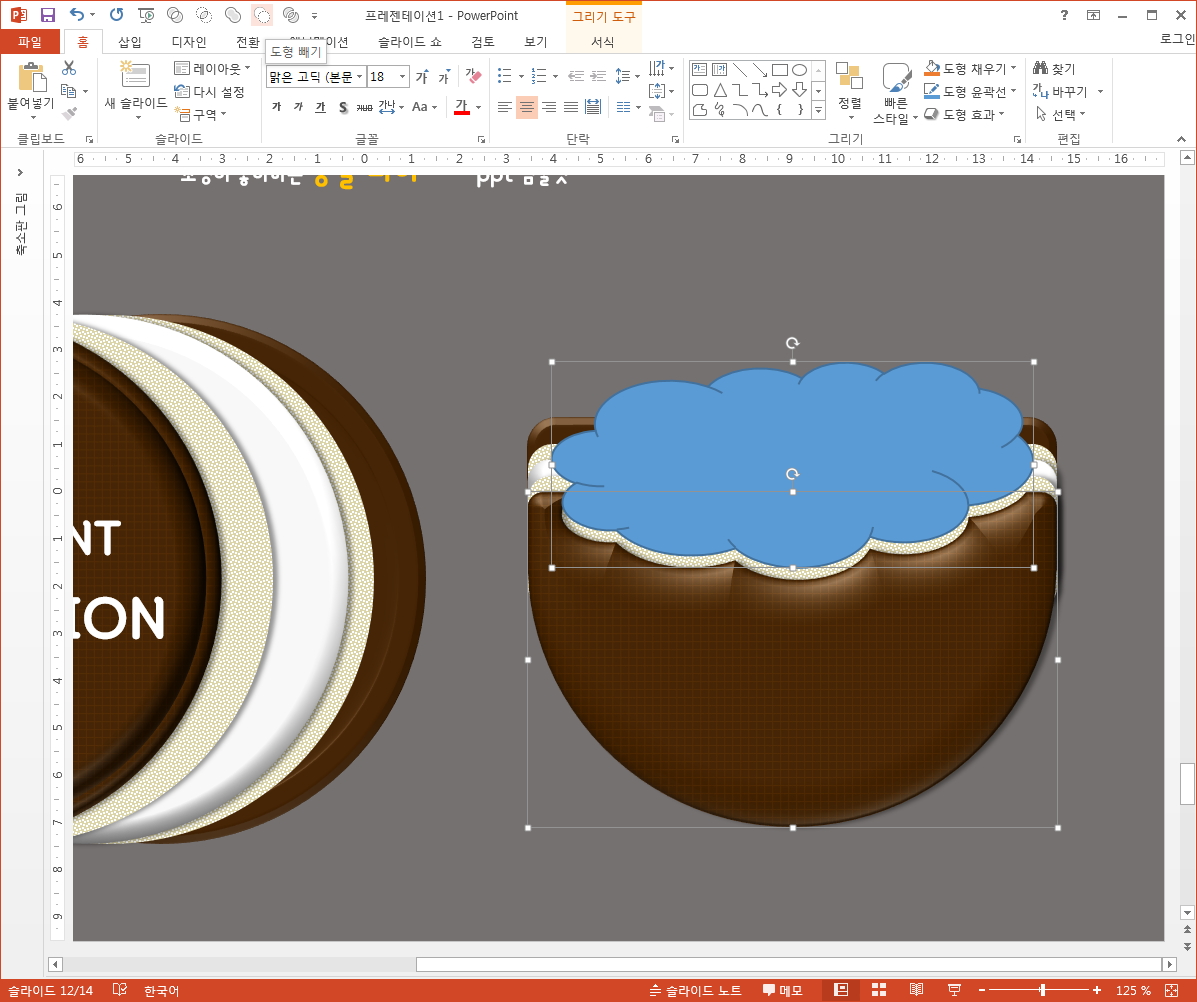
I'd like to recommend you to reduce your capacity through R.C. or Photoshape. I'd like to tell you that it would be convenient for you to do so in the future.


And the other thing is, I've been doing this jenga, and I've done this before, and I've done this before, when I' 

I'm trying to capture the features that can be seen there by looking at the image data.

At first, I used a wooden image to make this, so I couldn't tell the difference.

So when I looked at the pictures, I noticed that the colors and patterns of the horizontal stack and the vertical stack were different.

So I decided to fill it up with two different pictures of trees, and that's how I feel.


So I'll make a set of 3x3s, stack them up, and assign shadows.

For your information, when you make a copy, you have to put it on top to cover the lower object.

If you paste from top to bottom, don't forget to add from bottom to top, as we need to add an extra layer to the back.


When I design PowerPoint, it's a shadow that I'm going to put in almost always, because it's going to be a little bit more realistic than a painting.

It's because of my experience that even when I actually made it, it made me feel more full.

In this form of multiple populations, like Jenga, we needed to create a separate shadow.

As you had expected, we added one shape, placed it back, and worked on it. If you treat the color the same as the PowerPoint background color, you won't get hung up.


Today's data that we've created in this way can be taken out and used as a diagram, just like

It's not much, but it's just fun. ^^


When it comes to sharing, we're going to upload it while maintaining the basic Jenga style.

So when you're actually writing to your data, you can take out each object you want and write down or organize the contents of the design.

Or just take the pieces of wood and put them back in the void.

You can use that empty space as a point area to organize the contents and proceed with the PowerPoint design.


In fact, one of the reasons why I wanted to create a template for Jenga was that I thought it was a lot bigger and wider to use than I thought.

I think I can use it as a graph.

It could be used to organize things that are related to goals and steps.

When I think about this, I think it's a theme that fits the meaning of it in a variety of ways.

It's easy to make, but the Jenga PowerPoint template is very appealing, right? ^^